For traders
TradingDesktop
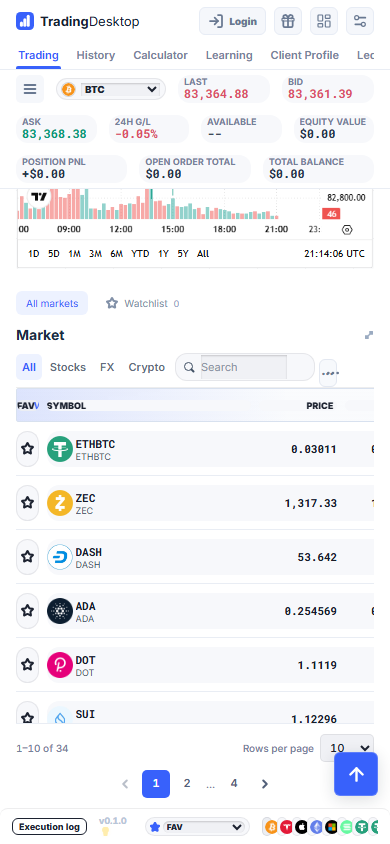
Receives market, news and account data; provides Beginner, Pro and mobile views and sends prepared order requests.

MEET TRADINGDESKTOP
Living3D develops trading software that connects the trader workspace, order and account processing, and operational reporting. Explore TradingDesktop, TradingEngine and TradingBoss with your team.
Request a platform demoSAAS & MICROSERVICES
Living3D’s SaaS platform uses a modular microservice design. Trading, pricing, account services, news and payments work together through dedicated services, supporting a connected experience for users and operators.
For traders
Receives market, news and account data; provides Beginner, Pro and mobile views and sends prepared order requests.
For connected applications
Receives configured order requests and account events; maintains order states, positions, margin and ledger records for connected services.
For operations teams
Reads TradingEngine records and presents clients, exposure, fees and operator P&L. Reporting is read-only and does not execute or modify trades.
Windowed workspaces, configurable interfaces and dedicated services connect different parts of the trading workflow.
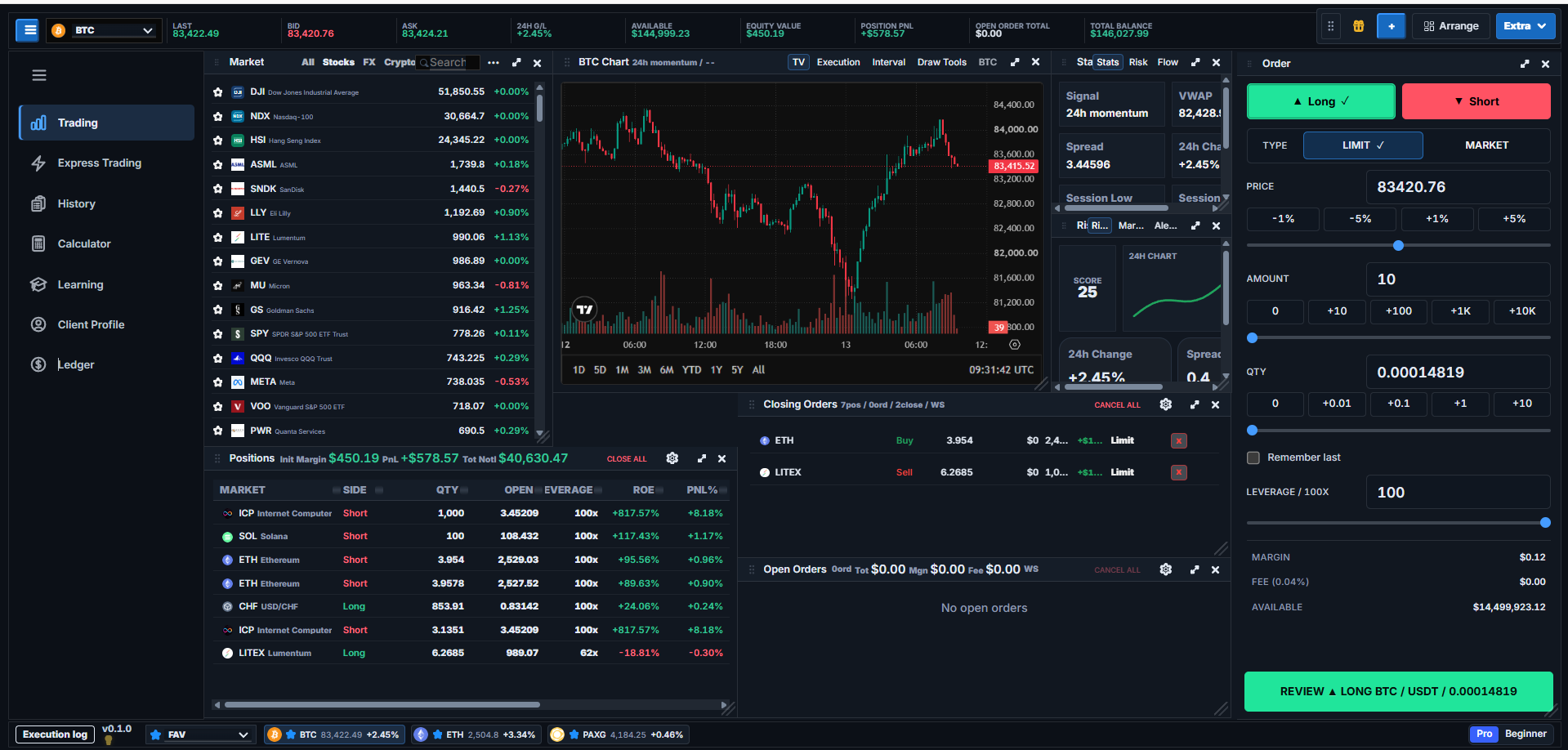
Bring market lists, the chart, market depth, order entry and positions together in a flexible desktop of individual windows.
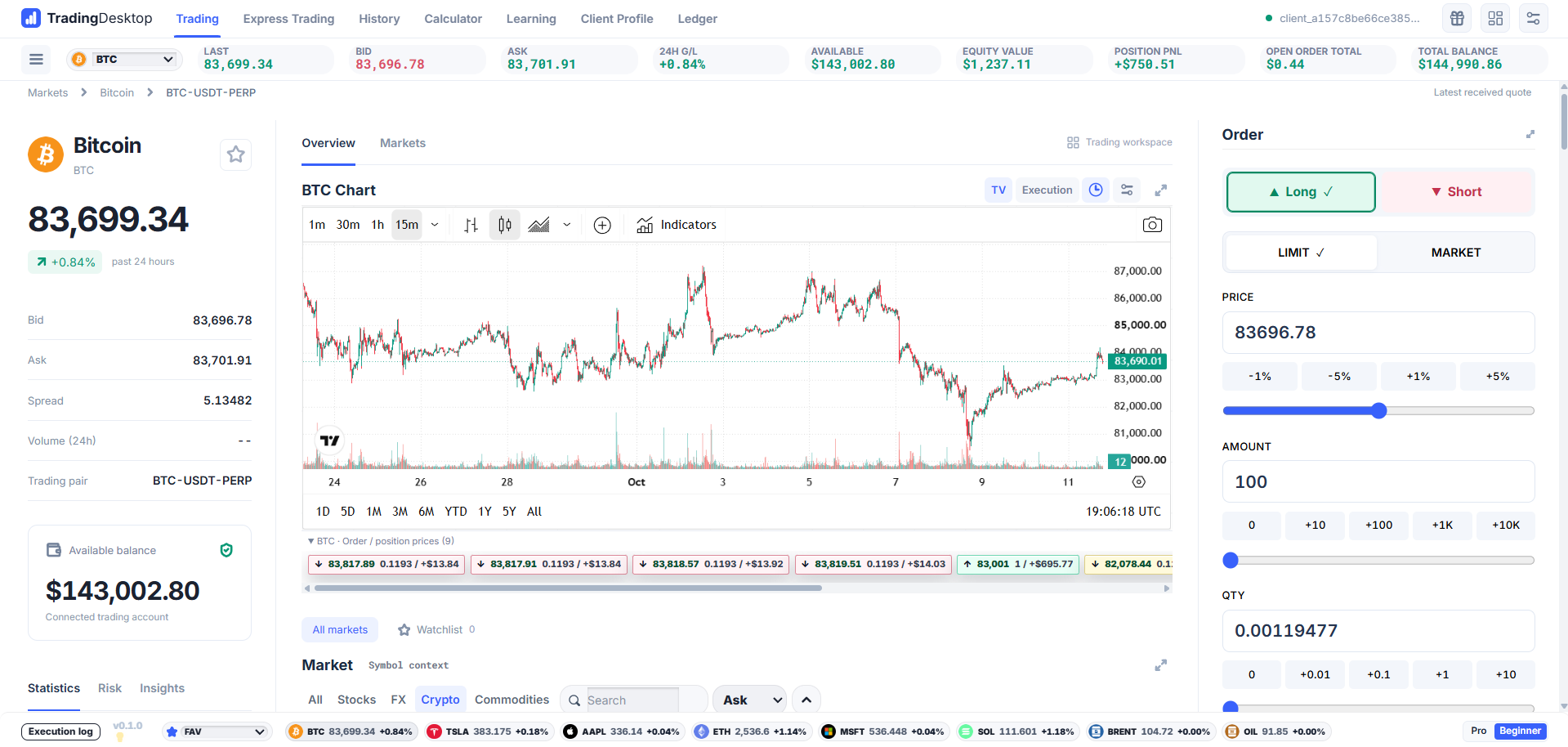
A clear, light interface brings market information, a detailed price chart and straightforward order controls into one focused view.
Actual product interfaces · English · Screens shown for illustration; prices are not live.
Browse or search the configured market list.
Review the chart, market information and dated news.
Set the side, order type, size and price. Review the parameters before submission.
Check the returned order status and open orders. Submission is not an execution guarantee.
Use order history and the account ledger to trace the resulting activity.
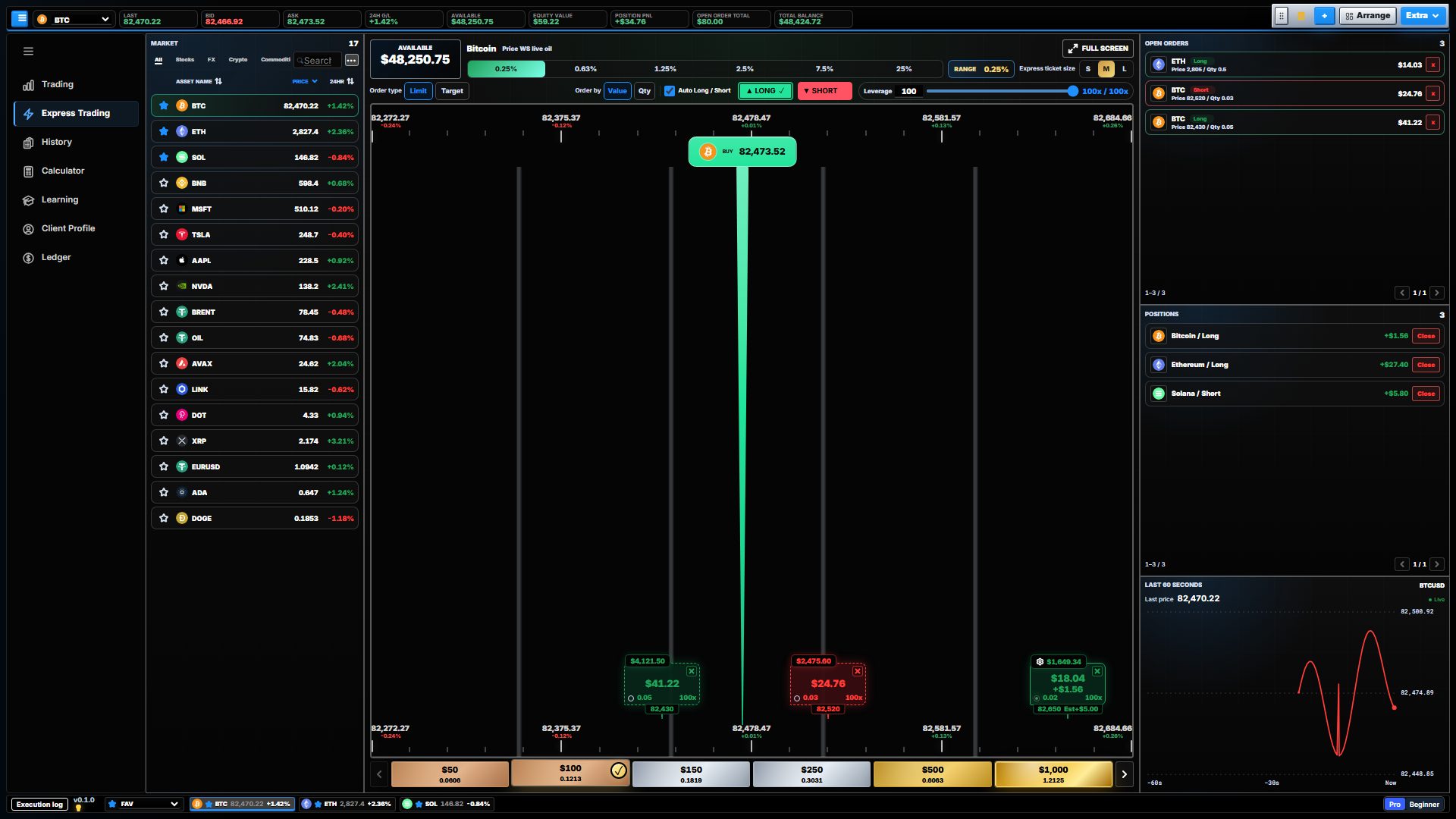
Explore the Express Trading layout with price levels, order sizing, open orders and positions.
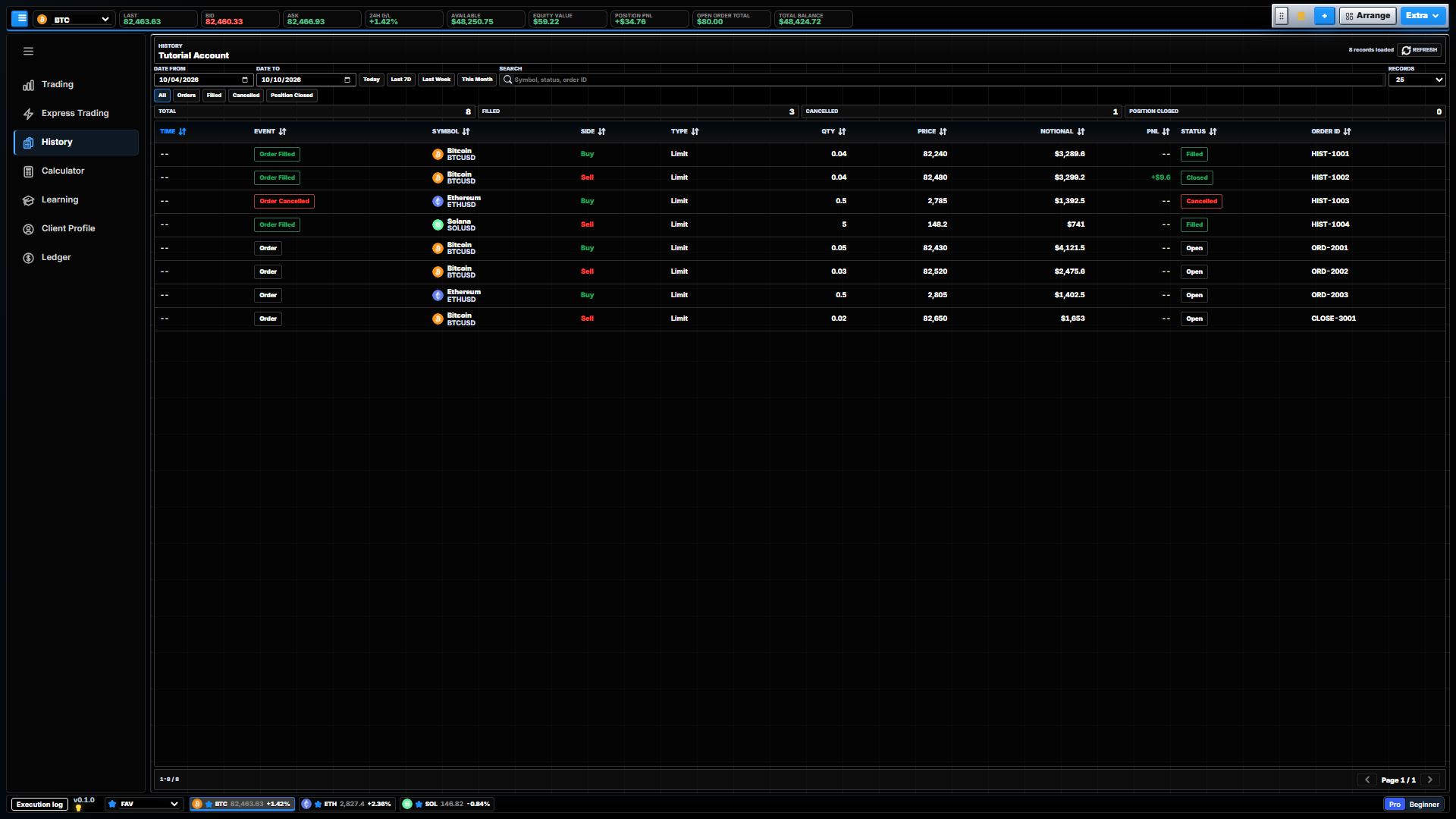
Review order events and status, with date, type and search filters.
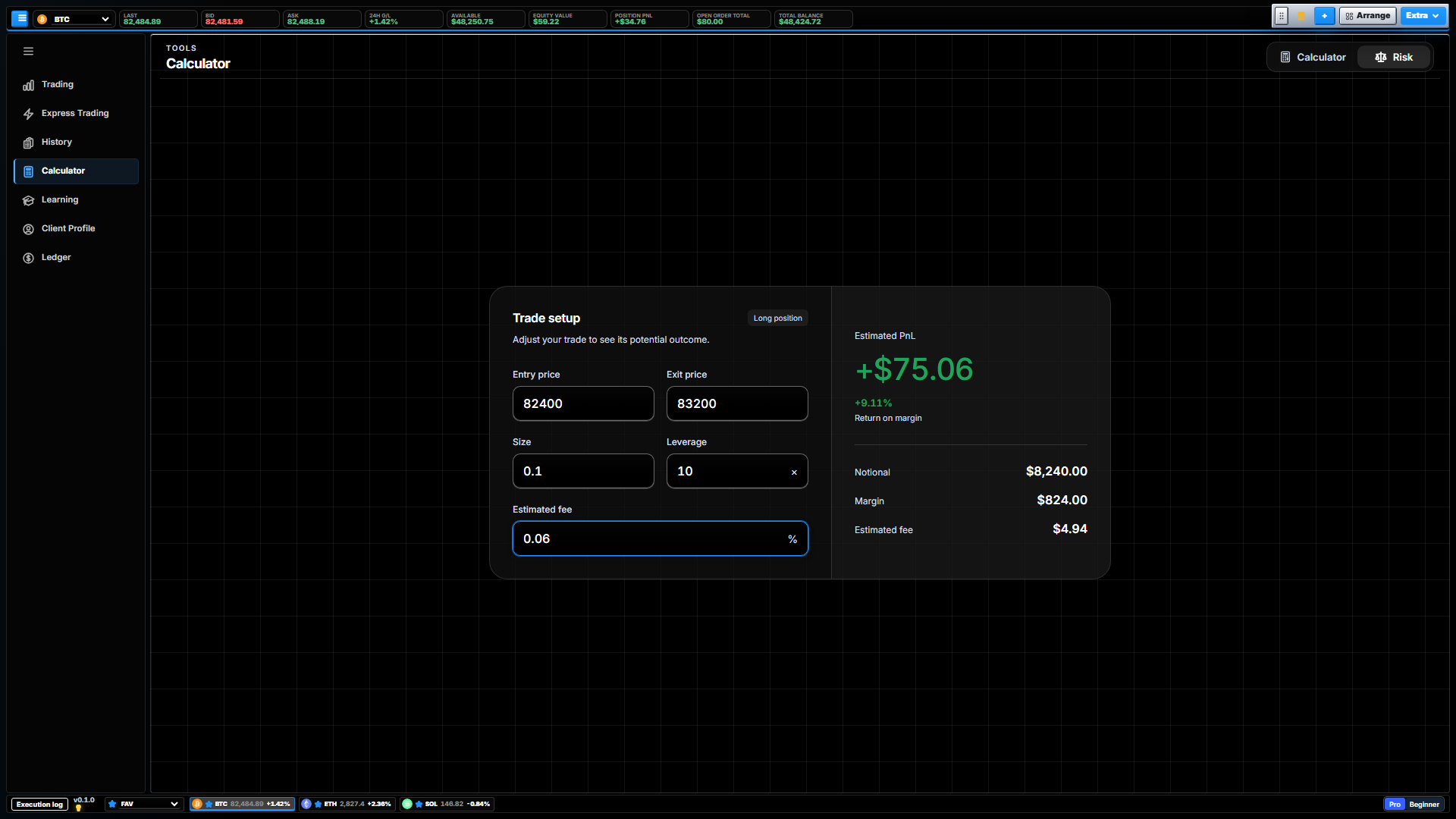
Adjust entry and exit prices, size, leverage and fees to explore an estimated trade outcome.
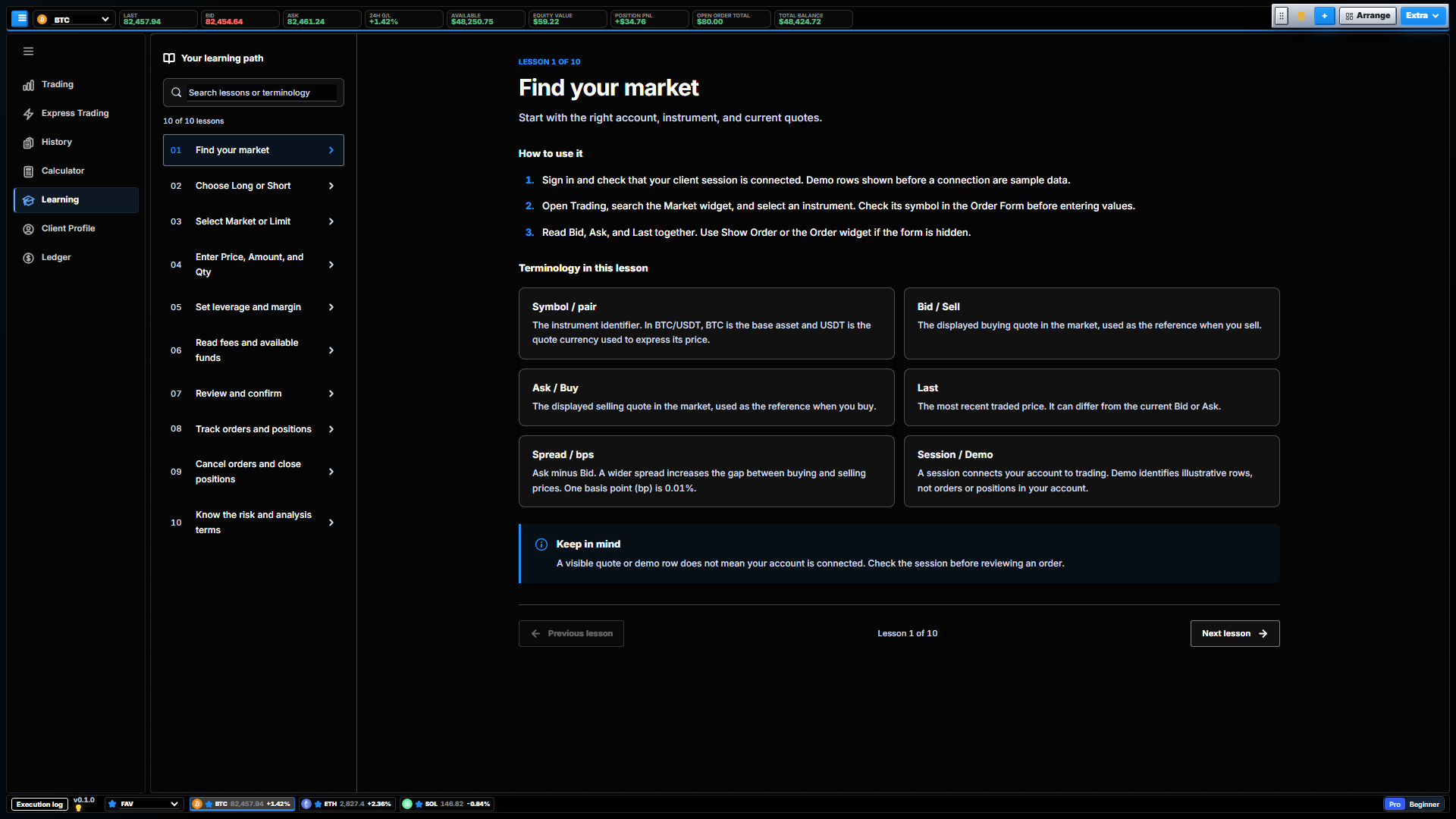
Browse guided lessons on markets, order types, position management and trading terminology.
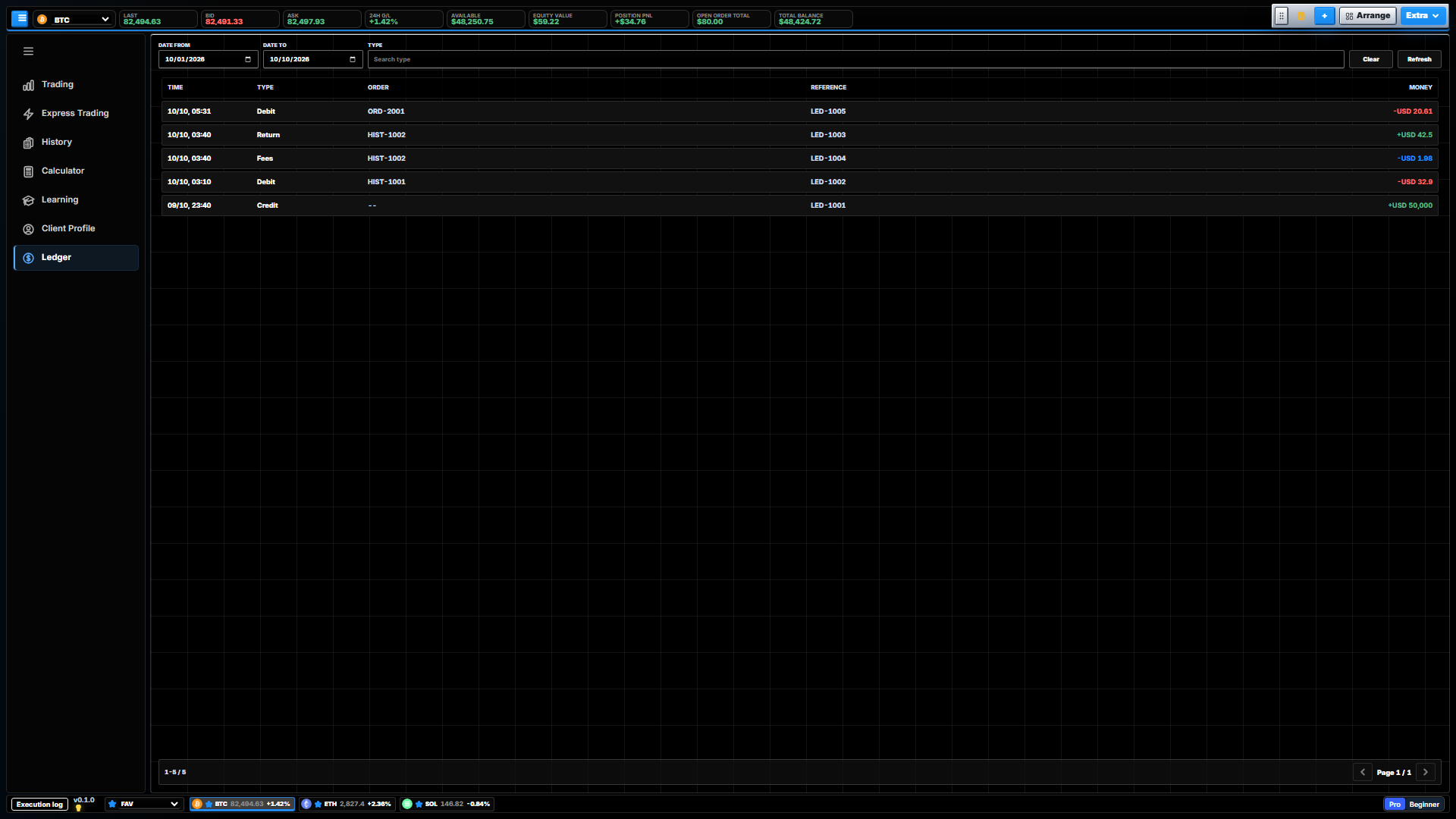
Review ledger entries, transaction types, order references and amounts.
Actual product interfaces · English · Screens shown for illustration; prices are not live.
Express Order
On desktop, configure the order type and size, choose the price level and submit from the Express Trading workspace. Review the returned status; pending orders can be managed through the open-order controls. Cancellation depends on the order state and cannot undo a completed fill. Confirmation behaviour is part of the deployment configuration.
Explore Express Order| Stage | What to review |
|---|---|
| Prepare | Side, type, size and price |
| Submit | Send the configured order |
| Acknowledge | Read the returned status |
| Manage | Review open orders and cancellation controls |
| Reconcile | Inspect history and account records |
| Availability | Depends on the operator and connected services |
Order submission and execution are separate events. No numerical execution benchmark is published here.
| Capability | Status | Scope |
|---|---|---|
| Beginner, Pro and mobile | Available in the product | Desktop editions and the responsive Beginner interface; Express Order is desktop-only. |
| Orders, positions and account records | Available in the product | TradingDesktop connects to TradingEngine services and configured accounts. |
| TradingBoss reporting | Available in the product | Read-only client, exposure, fee and operator P&L views; no trade administration. |
| News and AI research | Through integration | Requires configured news and AI services; output and freshness depend on those services. |
| TRC20 USDT transfers | Through integration | Requires a configured wallet service, network confirmations and operator procedures. |
| Markets, branding and support | Deployment-dependent | Instrument specifications, commercial scope and support arrangements must be agreed. |
Status describes the reviewed software, not automatic availability in every customer deployment. No roadmap item is presented as a delivered feature.
THE LIVING3D TECHNOLOGY
Market categories are supported by configured instruments and data services. Check the instrument structure and the operator’s terms before treating a displayed market as available to trade.
Digital asset instruments
Stock-linked instruments
Commodity-linked instruments
Currency-linked instruments
Crypto, stock, commodity and FX categories describe software coverage. A displayed symbol or tokenized label does not establish ownership of an underlying asset. The operator must specify whether each instrument is an asset, a token with defined rights, or a contract for price exposure, together with its issuer, counterparty, settlement, fees and trading hours. Platform access, price updates and executable market hours are separate.
TradingDesktop provides the interface; TradingEngine processes configured orders and account events; TradingBoss reads operational records.
Before opening an account, obtain the operating entity, issuer or counterparty, eligibility rules and instrument terms from the relevant service. This corporate site does not identify an account-opening offer.
The software includes a TRC20 USDT integration and messaging capabilities. The entity receiving funds, withdrawal controls, support provider, channels, languages and hours must be identified for each deployment.
Research tools summarise news and market context and support follow-up questions. Check article dates, publisher labels and available timestamps. Cached answers may be reused; a new screen view does not mean newly generated analysis. AI output can be incomplete or incorrect and is not a validated forecast or a trade instruction.
In TradingBoss, find a client to inspect positions and open orders, group exposure by asset, or filter recorded fees by date. Reports are read-only. Operator P&L uses the reporting model’s counterparty assumption and excludes hedging and other operating costs; it is not a company financial statement.
See the trader interface and operational reporting. Tell us about your users, markets and existing systems.
Discuss licensing, branding, integrations, hosting, maintenance and support. Availability, responsibilities and pricing are confirmed in a written proposal.
Agree the components, data connections, test environment and acceptance criteria before any pilot is commissioned.
Request a walkthrough of the trader interface and operational software, followed by a discussion of your requirements.